Setting up error alerts
Turn on email alerts for failed jobs and events and opt in to daily or weekly summary reports.
When to use this
Use this guide to have HC email you when something fails, so you do not need to watch the Control Panel. Alerts cover a whole job failing, an event failing during transformation, and an event failing at the destination system. For how alerts are grouped during a spike, see How alerting works.
Before you start
Decide which email addresses should receive alerts. To send alerts to a Slack channel, use that channel's email address.
Ask your IT team to add alerts@highcohesion.com and insight@highcohesion.com to your safe senders list.
Steps
Turn on alerts
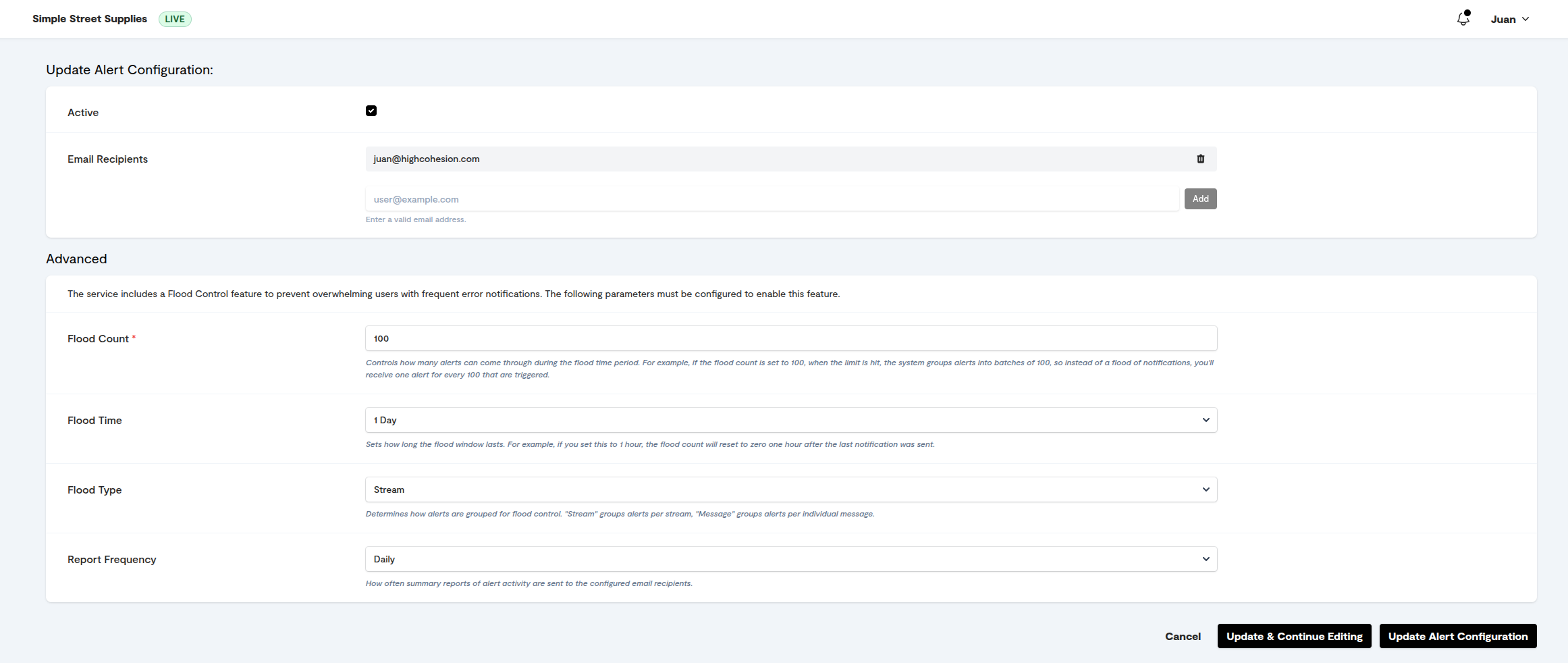
In the Control Panel, open Alerts (under Settings).
Click Configure Alerts.
Tick Active.
Enter the email addresses that should receive alerts.
Set an alert threshold if the option is shown, for example after any single failure or only after 5 failures within 10 minutes.
Click Save.
Opt in to daily or weekly summary reports
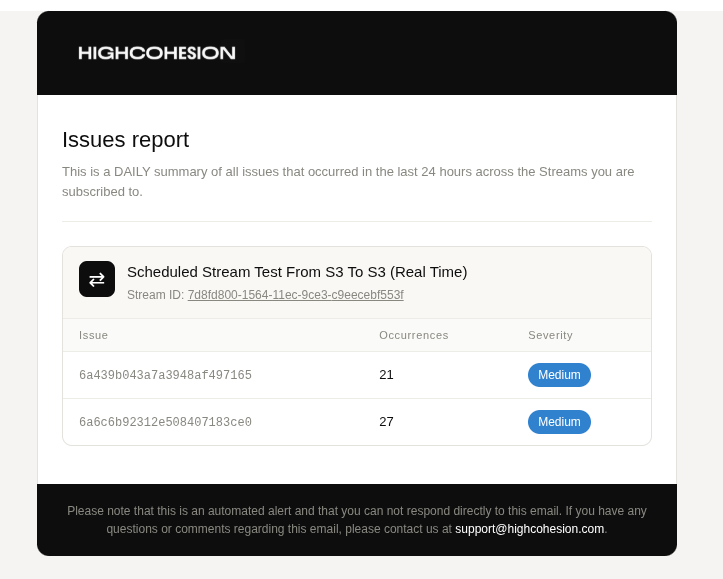
Summary reports show alert counts per stream and type. The daily report is sent at 16:00 UTC and the weekly report on Fridays at 16:00 UTC. They are useful when flood control has been grouping alerts. Summary reports are opt-in: if you cannot see the option in your alert settings, ask HC to enable them for your organisation.
What you should see
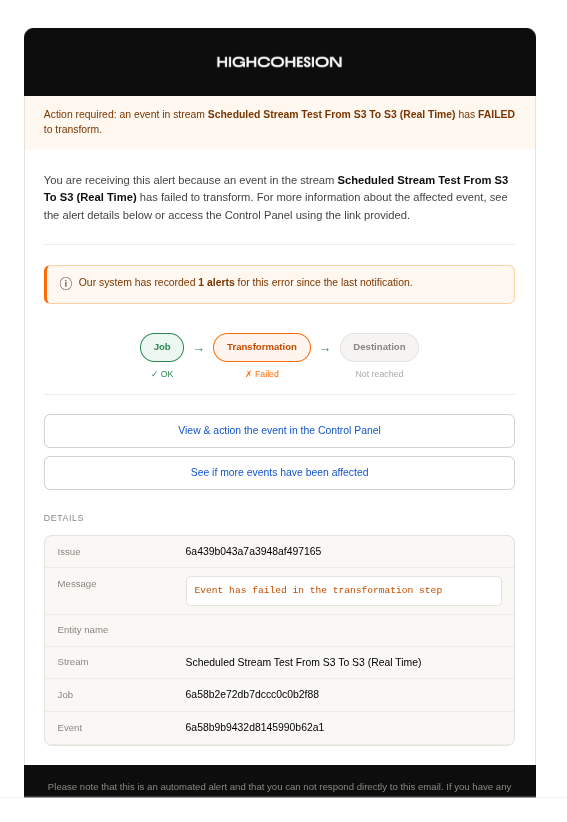
The next time an event or job fails, an email arrives from alerts@highcohesion.com containing the issue and error message, the entity affected, the stream name, the event ID, the job ID and a direct link to the event in the Control Panel. Click the link to open the event and start investigating.
Summary reports arrive from insight@highcohesion.com with a DAILY REPORT or WEEKLY REPORT subject prefix.
If it did not work
No alert arrived after a failure. Check that Active is ticked and the email address is correct, then check your spam or quarantine folder for mail from alerts@highcohesion.com.
Too many alerts. A single root cause, such as a destination outage, can produce hundreds of failed events. Fix the root cause first, then ask HC for a bulk resend (see Requesting a bulk resend). If the volume of alerts feels wrong in either direction, ask HC to adjust the flood-control thresholds for the stream.
Was this helpful?
Still need help? Ask the team