
Release notes

Follow new updates and improvements to HighCohesion.

HighCohesion MCP Server is now live

21 Aug 2026 · HighCohesion MCP · v1.1.1

Ask Claude about your integrations
You can now connect Claude to your HighCohesion account and ask about your integrations in plain English - which stream carries what, why an event failed, what a lookup table holds - without opening the Control Panel. It uses your existing Control Panel login, and is read-only and scoped to your own organisation's data.

Set up your own dashboards

You can now turn the HighCohesion MCP Server into a live monitoring dashboard. Paste one prompt into Claude and it builds a page you can reopen and share. The page shows stream health, failures over the last 7 days, the open issues to look at first, and what has changed or been closed recently.

The dashboard reads your data through your own Control Panel login, and it's read-only like the MCP Server itself. You can tailor it to focus on certain streams, change the time windows or failure threshold, use your brand colours, or make separate views for finance or warehouse teams.

Get the prompt and setup steps: Create your own HighCohesion integrations dashboard in Claude

Other LLMs

HighCohesion will work with OpenAI’s ChatGPT, Google’s Gemini or any other LLM that supports MCP. With Claude being the most common in use across our customer and partner base, it’s what we’ve focused on first.

Related guides: Connect Claude to HighCohesion MCP Server · How the HighCohesion MCP Server works · Create your own integrations dashboard in Claude
New

Clearer settings documentation and a new transformation editor (staging)

02 Sep 2026 · Control Panel · v6.8.1

Setting documentation in the Control Panel
Sources and destinations can carry a range of configurable settings. The Control Panel now shows documentation for each one directly against the setting, so what it does is clear at the point you're changing it. Coverage is being backfilled, so it won't be complete on day one.

Improved transformation editor
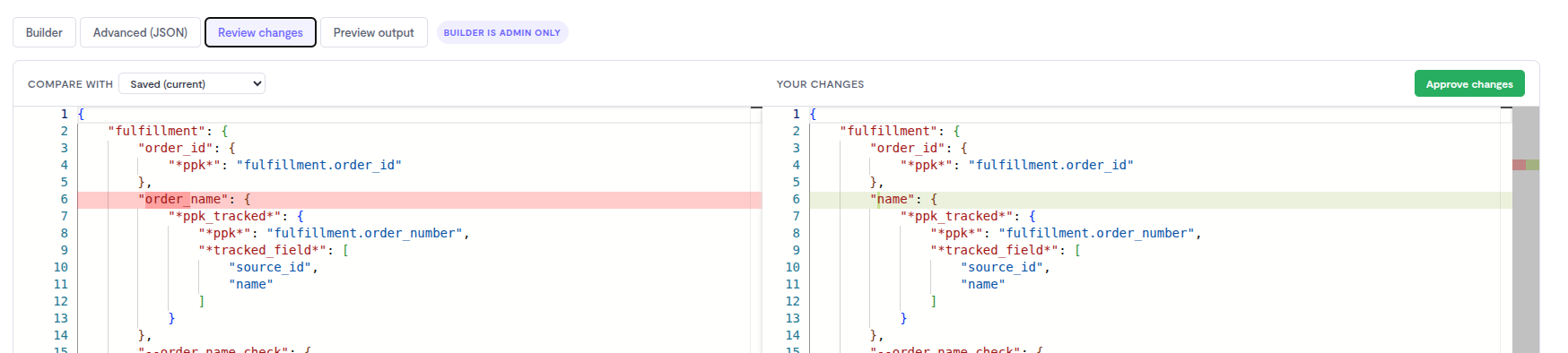
The transformation editor is now a single text-based editor, bringing everything into one place. It adds autocomplete and helper suggestions, a review step that shows exactly what's changed before saving, and a preview that runs a sample payload so you can check the output before it goes live.

Related guide: Testing a transformation change before you save it

Improved

Mute individual issues, clearer stream alerts, and safer transformation editing

13 Aug 2026 · Control Panel · v6.7.0

Mute individual issues
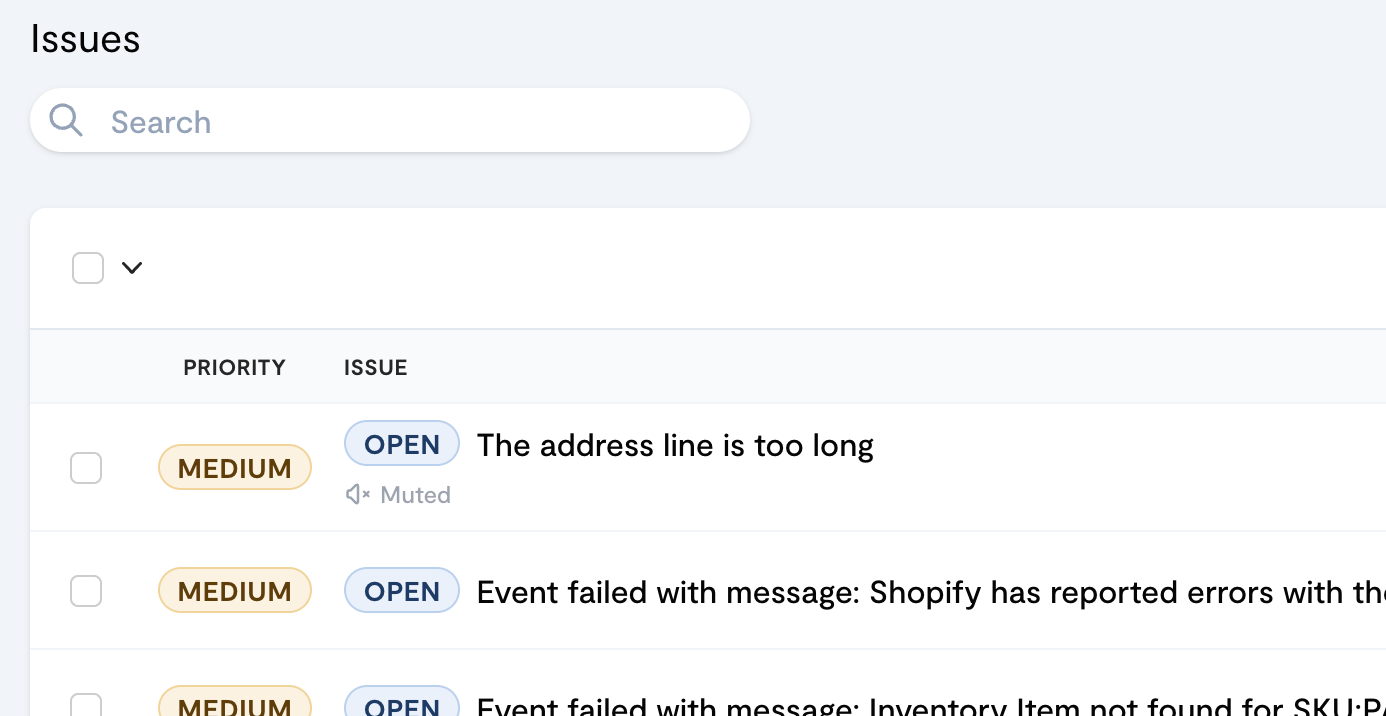
Individual issues can now be muted directly from a stream's Alert tab by searching for the specific issue, giving precise control over what's silenced. The stream list also shows an icon wherever issues are muted, so what's silenced stays visible at a glance.

Test transformations before saving
The transformation editor now includes a testing section, so a change can be checked against expected behaviour before it's saved.

Lookup references checked automatically
The Control Panel now checks that any lookup table referenced in a configuration actually exists in the account, catching broken references before they cause failures.

Related guides: Silencing alerts for known errors · Testing a transformation change before you save it

New

Earlier updates